
Image Access BookTEK 5 V3 Archive
Versatility meets efficiency
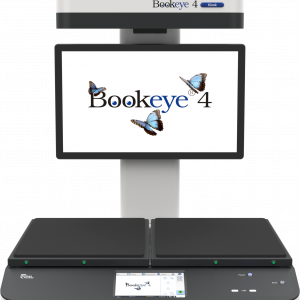
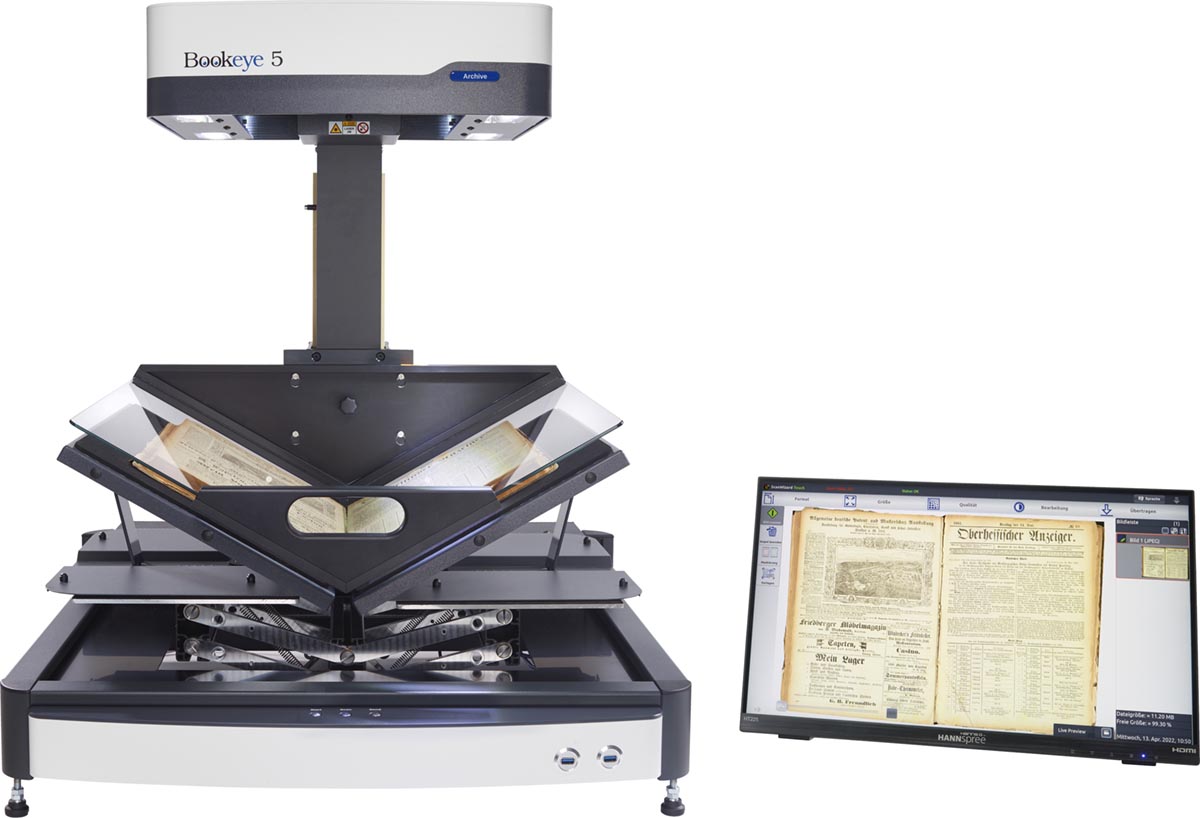
The BookTEK 5 V3 Archive is our most versatile book scanner, designed to meet the demanding needs of archives and libraries. Its self-adjusting book cradle seamlessly adapts to both V-shaped and flat scanning modes, ensuring gentle yet precise digitization of bound materials. Paired with matching glass plates for optimal image quality, it delivers exceptional results while preserving the integrity of delicate or historical documents. Perfect for high-volume digitization projects where accuracy and efficiency are key, even in 24/7 operation.
Description
Productivity in brilliant quality
Using the latest camera technology from Image Access, this scanner meets FADGI, Metamorfoze, and ISO 19264 specifications. Yet, it delivers remarkable speed, capturing A3+ documents in under a second and completing 600 dpi scans in just three seconds.
Advanced book cradle design
The self-adjusting book cradle ensures high-quality scans while safeguarding delicate bindings. For maximum protection, fragile books can be scanned in V-mode. Depending on the needs, the BookTEK 5 V3 Archive can be used with a V-shaped glass plate, a flat glass plate, or without a glass plate at all.
Software solutions for production scanning
A high-performance production scanner relies on robust capture software. Image Access offers powerful software solutions for the BookTEK 5 V3 Archive, designed to streamline and optimize high-volume digitization projects.
Ergonomic and flexible
The BookTEK 5 V3 Archive is equipped with a 21-inch Full HD multitouch screen for an intuitive user experience. Centrally positioned control buttons ensure a symmetrical and ergonomic operation, making scanning more comfortable and efficient.
Specifications
Document
Maximum Documents Size
390 x 480 mm (15.3 x 18.9 inch), 50% more than DIN/ISO A3
Output
Scanner Resolution
600 x 600 dpi
Pixel Dimension
9.3 x 9.3 µm
Scan Speed Color
DIN A3+ @ 150 dpi: 0.8 s
DIN A3+ @ 200 dpi: 0.9 s
DIN A3+ @ 300 dpi: 1.3 s
DIN A3+ @ 400 dpi: 1.7 s
DIN A3+ @ 600 dpi: 2.4 s
Color Depth
48 bit color, 16 bit grayscale
Scan Output
24 bit color, 8 bit grayscale, bitonal, enhanced halftone
ICC Profiles
Embedded for sRGB, Adobe RGB and native. Individual profiling via web based Scan2ICC subscription
Quality
Complies to FADGI *** guidelines, Metamorfoze Light, ISO 19264-1
Technical Specifications
Computer
64 bit Linux, Intel Core i3 generation 8 processor, 240GB SSD, 8 GB memory for extra large jobs
Touchscreen
21 inch Full HD 1920 * 1080 multitouch screen
USB Port
2 x USB 3.0 port, 4 x USB 2.0 port
Interface
2.5 GBit Fast Ethernet with TCP/IP based Scan2Net® interface
Camera
CCD line sensor, 22,500 pixels (11,000 scan lines equals to a 245 MPixel matrix camera)
Live Preview Camera
CMOS matrix, area sensor
Light Source
White LEDs, tested according to IEC 62471, no IR/UV emission
Declaration about the Emission of UV and IR radiation
Lamp Lifetime
50,000 h typ. Lamps are covered by the Extended Warranty Option
Dimensions
Dimensions Scanner (H x W x D)
840 x 585 x 625 mm (33 x 23 x 24.5 inch)
Weight Scanner
48.5 kg (107 lbs.)
Electrical Specifications
Electrical Connection
100-240 V AC, 47 – 63 Hz (external power supply, complies with ECO standard CEC level VI)
Power Consumption
< 0.5 W (Sleep) / 1.5 W (Standby) / 40 W (Ready to scan) / 110 W (Scanning)
ENERGY STAR requirements
Image Access FAQ
Ambient Conditions
Operating Temp
5 to 40 °C (40 to 105 °F)
Rel Humidity
20 to 80% (non-condensing)
Noise
< 42 dB(A) (Scanning) / < 33 dB(A) (Standby)
Technical changes, errors and omissions excepted. All information subject to change.
Warranty
All BookTEK Scanners come with 12 Months Return to Base (RTB) Warranty for Parts and Labour. This means you will need to arrange for the Scanner to be sent back to the Docuvan Office in Bayswater Victoria for any Warranty claim.
There are Optional Warranty Upgrades available for 1 to 5 Years Extended On-Site Warranty.
These cover Parts & Labour On-Site (we come to you) for the period selected and include the Extended Support below. Please be aware these options do not cover the travel and accommodation costs associated with the On-Site Support.
We are happy to discuss the options with you, if you are interested.
There is also an Extended Support Package, available for 1 to 5 Years. This is same day response by Phone, Email and Remote Connection Only.
We work with you to try and identify the problem.
Most issues can be diagnosed remotely and do not require a site visit. However, if an issue can’t be sorted remotely, then the scanner will need to be returned to the Docuvan Office for further investigation and support.
Install/Training
Docuvan will provide a number of key environmental and IT Setup requirements prior to delivery of your scanner. This will enable you to place the scanner in a suitable location and connect it to your network once it arrives.
It also means we will be as efficient as possible in getting you up to speed with your new scanner without typical IT delays,
once we come on site or remote connect to it for the setup, configuration and training.
Because the Bookeye has a built-in Linux PC and is managed from a simple interface on a touch screen, it very quick to get up to speed with.
There is also a web interface that can be used for setup and configuration of the scanning profiles from a PC on the same network, if you want to do it that way, using a Poweruser login.
We provide On-Site Training for multiple staff, if required. This can be broken into Administrator and User Training, if required.
Alternatively, we offer remote training over the internet, using TeamViewer or Microsoft Teams, connected to your scanner, so we can configure the scanner to your needs as part of the training.
This can be more cost effective where travel and accommodation costs are prohibitive. (Or we are subject to travel restriction such as during covid)
This would require the IT component to be pre-configured so it can be accessed remotely.
Rental
We offer a rental service for certain Bookeye Models.
Please contact us to enquire about this service: [email protected]